
High activity
See repeated periods with unusually intensive input activity.
Hubnity brings unusual and consistent activity findings into one review queue, so managers can understand a signal before deciding what happens next.
See the review workflow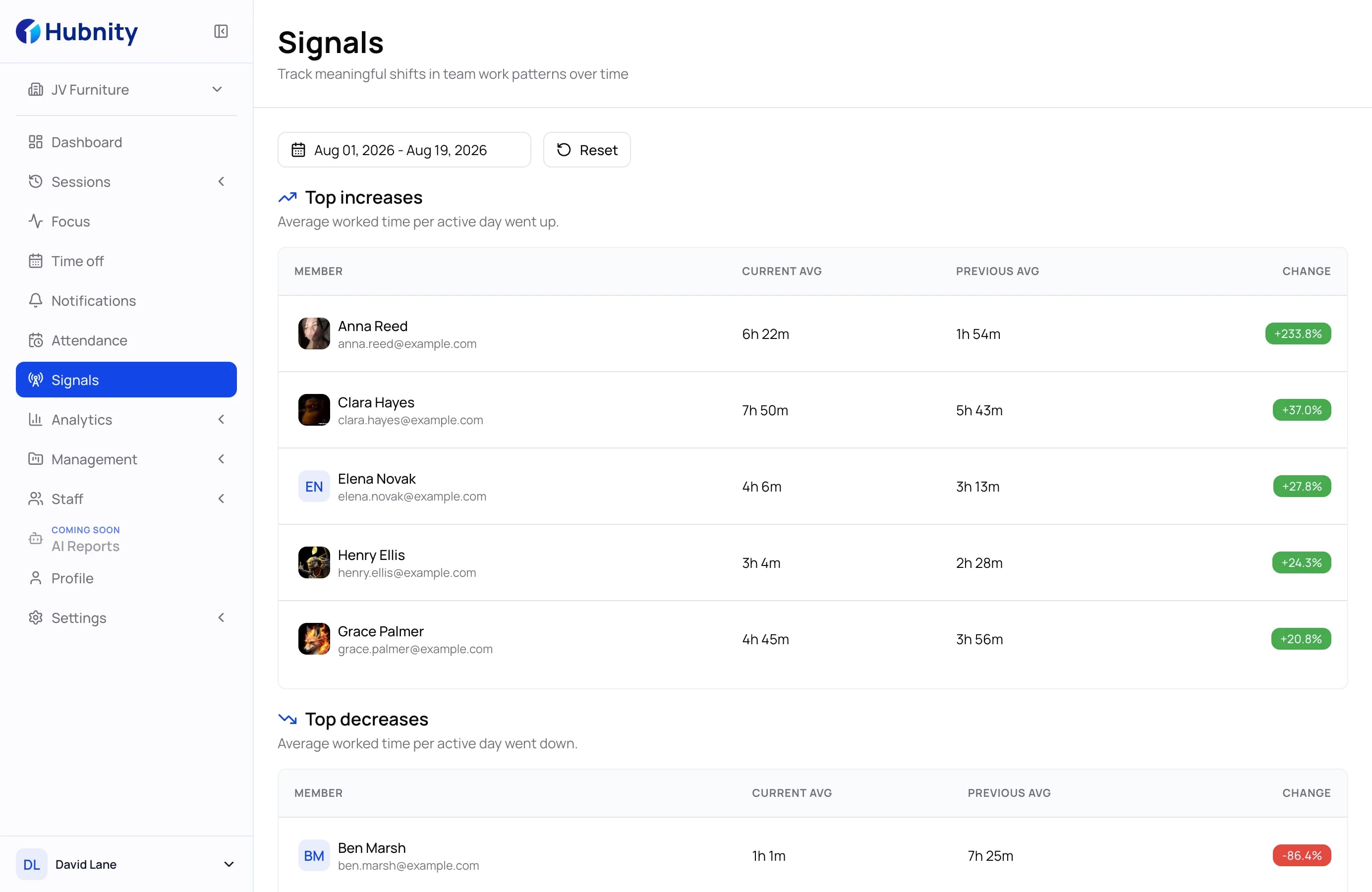
One clear review queue
Each signal names the pattern that needs attention. Managers can then open the related record and decide whether follow-up is useful.
See repeated periods with unusually intensive input activity.
Review work patterns that remain unusually uniform over time.
Separate mouse input from the wider context of the work session.
Review keyboard input together with the related tracked record.
From finding to follow-up
Keep the process simple, explainable, and focused on the work context managers can actually review.
Signal
Hubnity groups unusual and consistent activity findings in one review queue.
Explanation
Review the member, tracked time, and related activity before drawing a conclusion.
Action
Ask for context, adjust the workload, or close the finding when no action is needed.
Keep anomaly detection focused on useful signals and fair follow-up.
It is a review workflow for work patterns that may need context, such as unusually high, consistent, mouse-only, or keyboard-only activity.
No. A signal is a prompt to review context, not a conclusion about a person or their work.
Review the related record first, then ask for context, adjust the workload, or close the finding if no follow-up is needed.
Hubnity can surface high, consistent, mouse-only, and keyboard-only activity findings for manager review.