
Automated Timesheet Software for Teams
Connect tracked time to the right project, review daily records, and prepare approved timesheets for the next workflow.
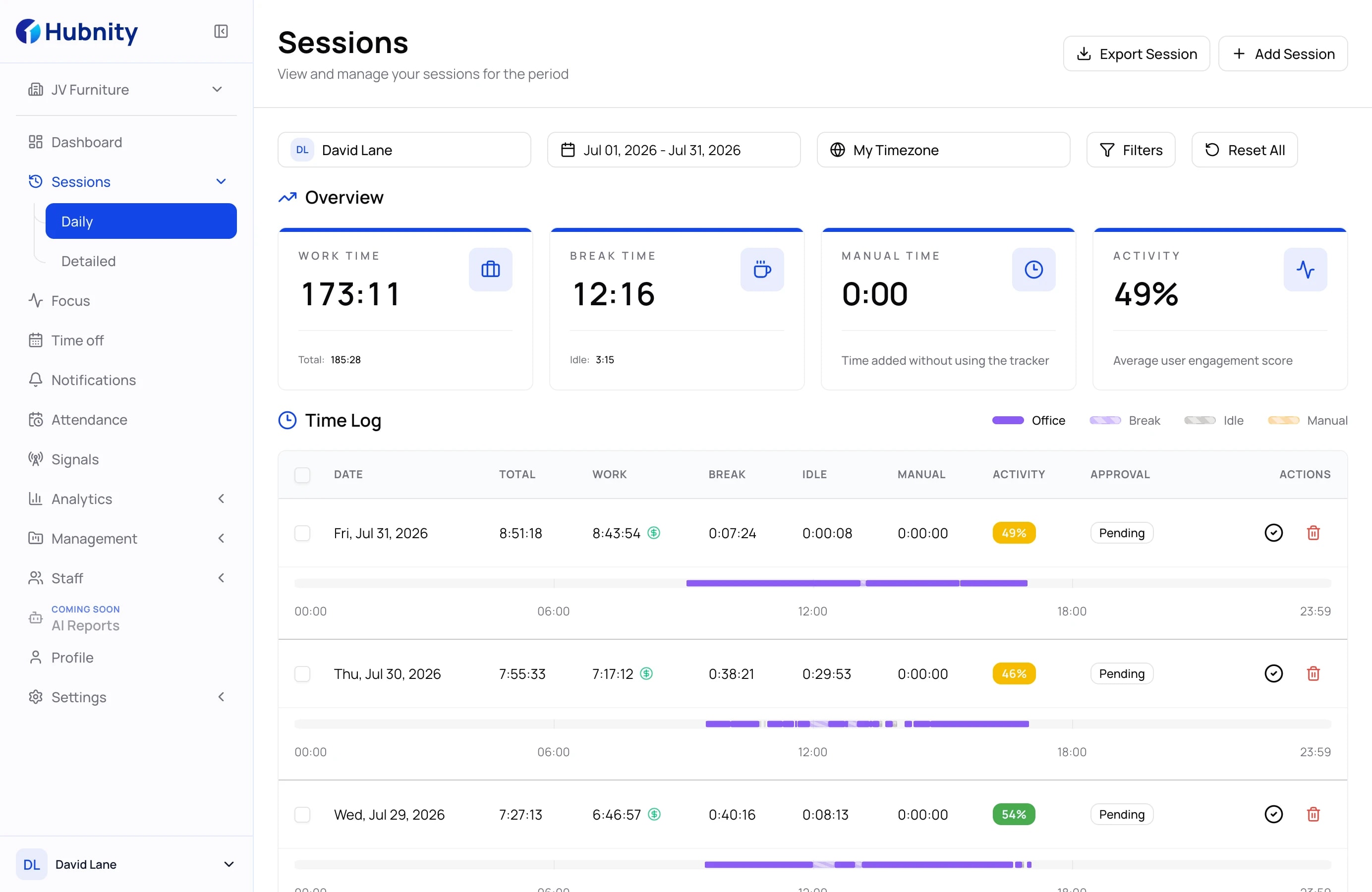
Every second, captured with clarity
Review timesheets, activity, and reports in one calm workspace built around reliable records.
Automatic timesheets
Turn activity into review-ready timesheets
Turn captured activity into review-ready timesheets without rebuilding the working day by hand.
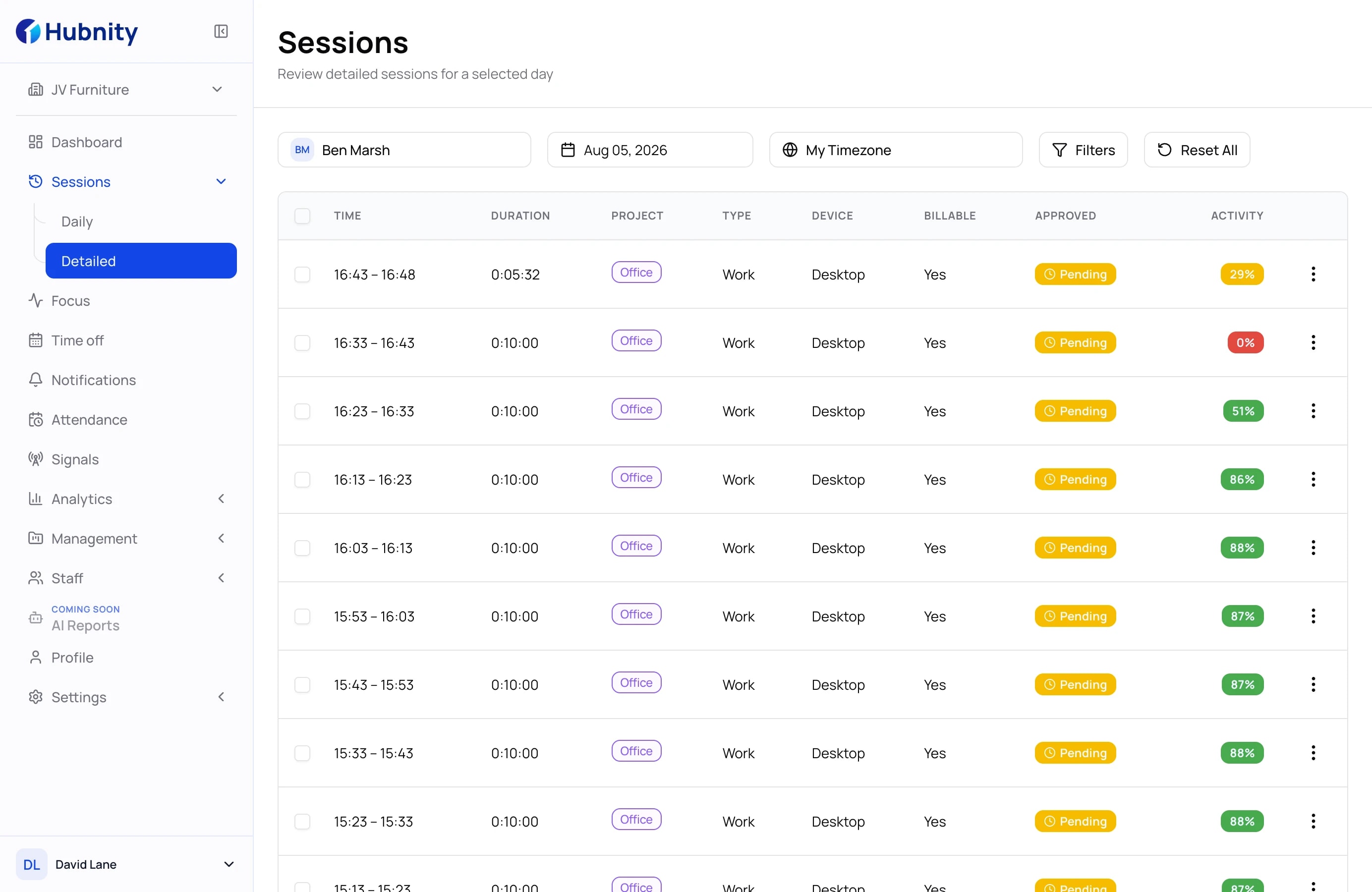
Review, approve, and export without rebuilding the week
Move from captured time to a clean, reviewable record that is ready for payroll handoff and operational reporting.
01Review
Check tracked, break, idle, and manual time for the selected period.
02Approve
Use the visible approval status to separate pending records from reviewed time.
03Export
Download the final record as PDF or CSV for payroll and operational handoff.
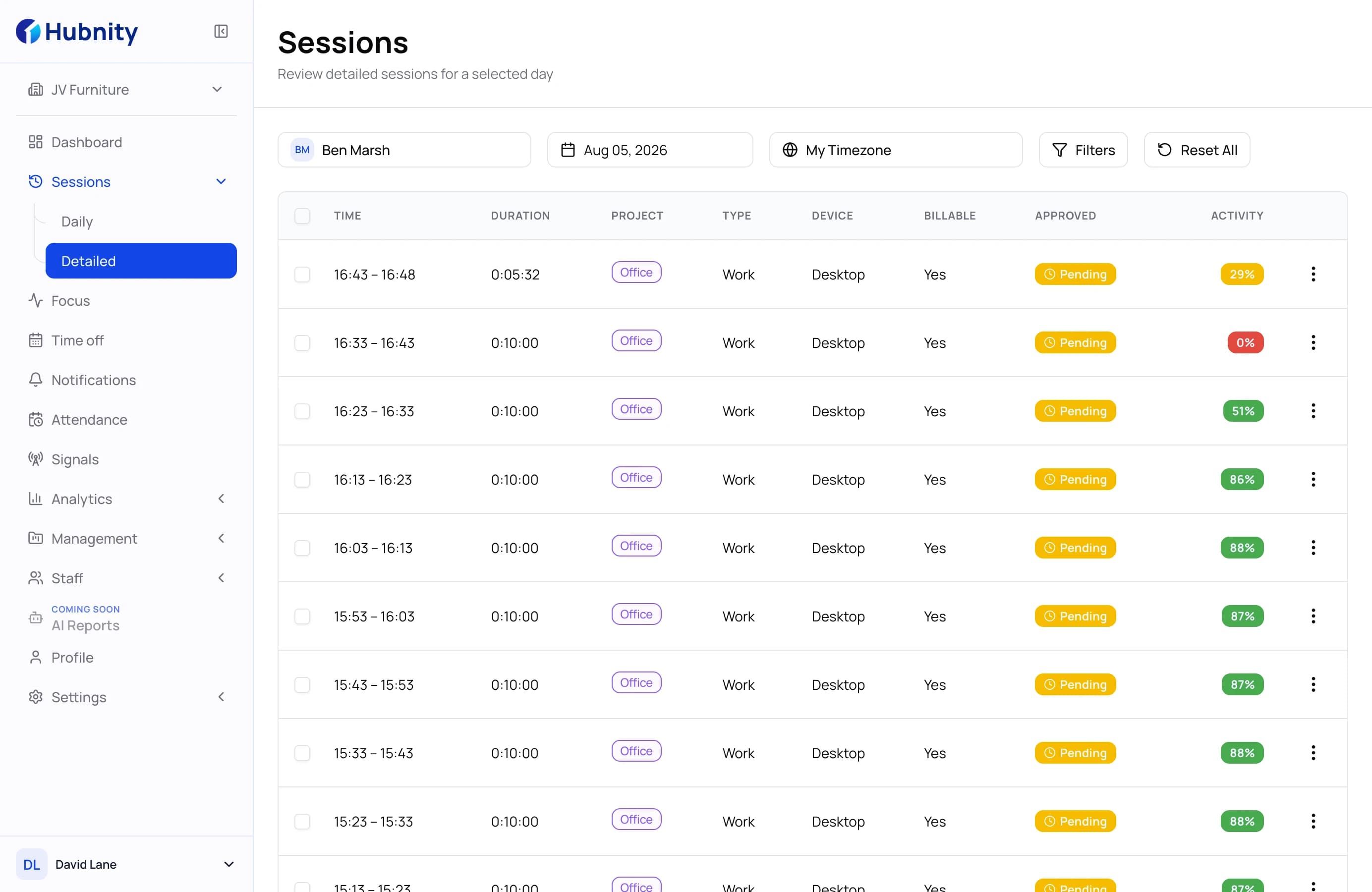
Streamlined workflow
A clear path from captured time to reviewed records
Configure the workspace, track project time, review the record, and prepare it for downstream work.
- 01
Install the desktop app
Download the available Hubnity desktop app and sign in to your workspace.
- 02
Configure your workspace
Add your team, set tracking preferences, and choose which apps and sites to monitor.
- 03
Track work with clear controls
Start tracked work with project context and keep the resulting time record available for review.
- 04
Review, approve, and export
Review time records, confirm approval status, and export reports as PDF or CSV.
Frequently asked questions
Everything you need to know about automated timesheets. Can't find your answer? Reach out to our support team.
Hubnity records time for the selected organization and project through the desktop timer. Depending on organization settings, the resulting record can include activity context such as apps, active windows, screenshots, and idle time; manual entries remain available when needed.
Review Hubnity's Privacy Policy and Data Processing Agreement to assess whether the product meets your organization's security and privacy requirements.
The integrations directory shows the tools Hubnity plans to support. Check each integration page for its current availability before planning a workflow around it.
Use the desktop timer for the selected organization and project, or add and review manual time when a work record needs to be corrected separately. Idle-time handling follows the rules configured by your organization.
Automated timesheets build work records from captured activity so employees and managers can review the result before using it for reporting or approvals.