
Budget context
Start with a visible baseline
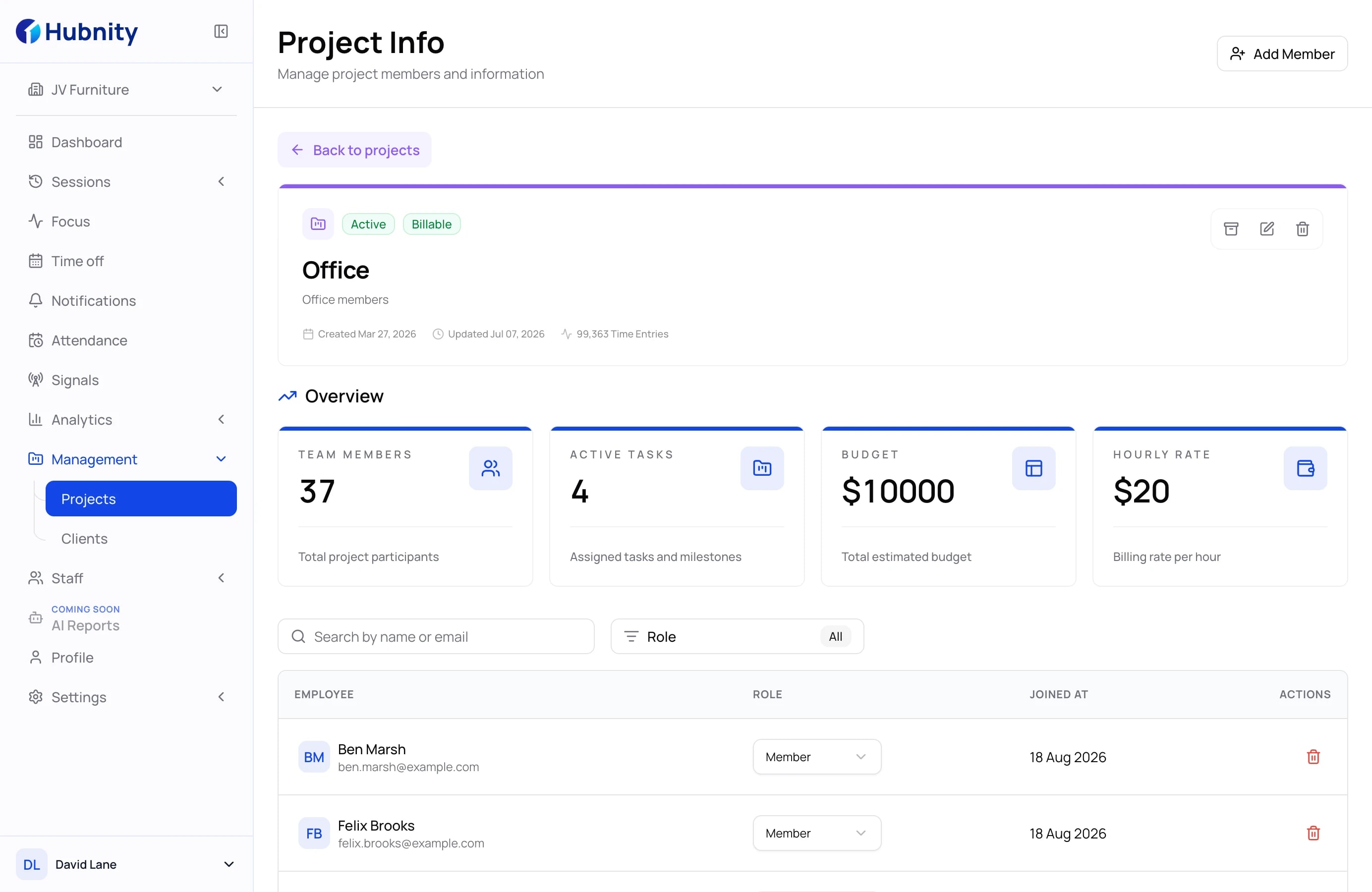
Keep the project budget and hourly rate where managers already review project information.
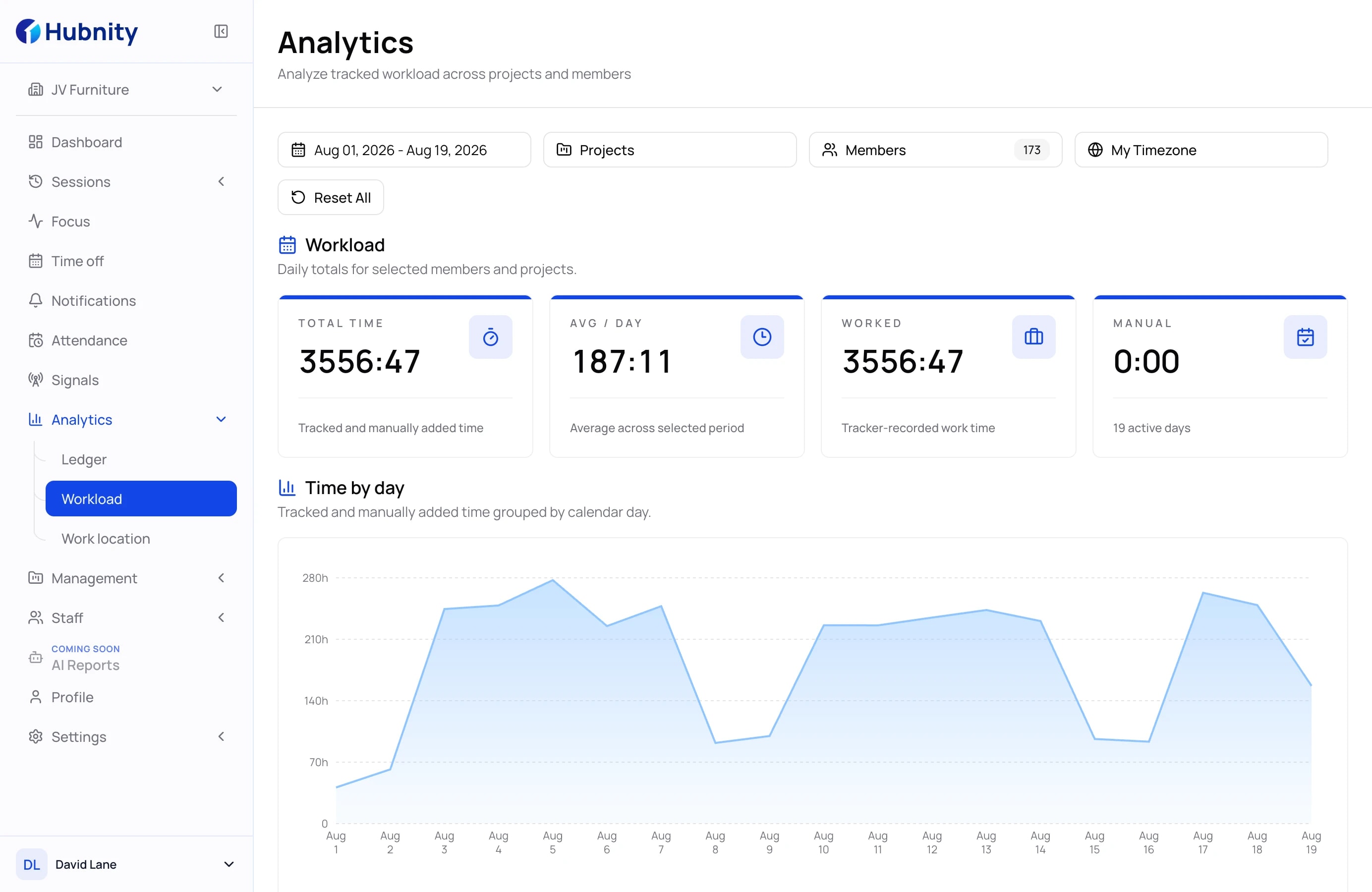
Set a project budget and hourly rate, review budget consumption against tracked time, and export the record for finance or a client.
A traceable cost story
Keep the project setup and its time records in one operating context, so managers can review what was planned, what was recorded, and what should be shared next.
Add the project budget, hourly rate, and billable status.
Keep time entries connected to the right project.
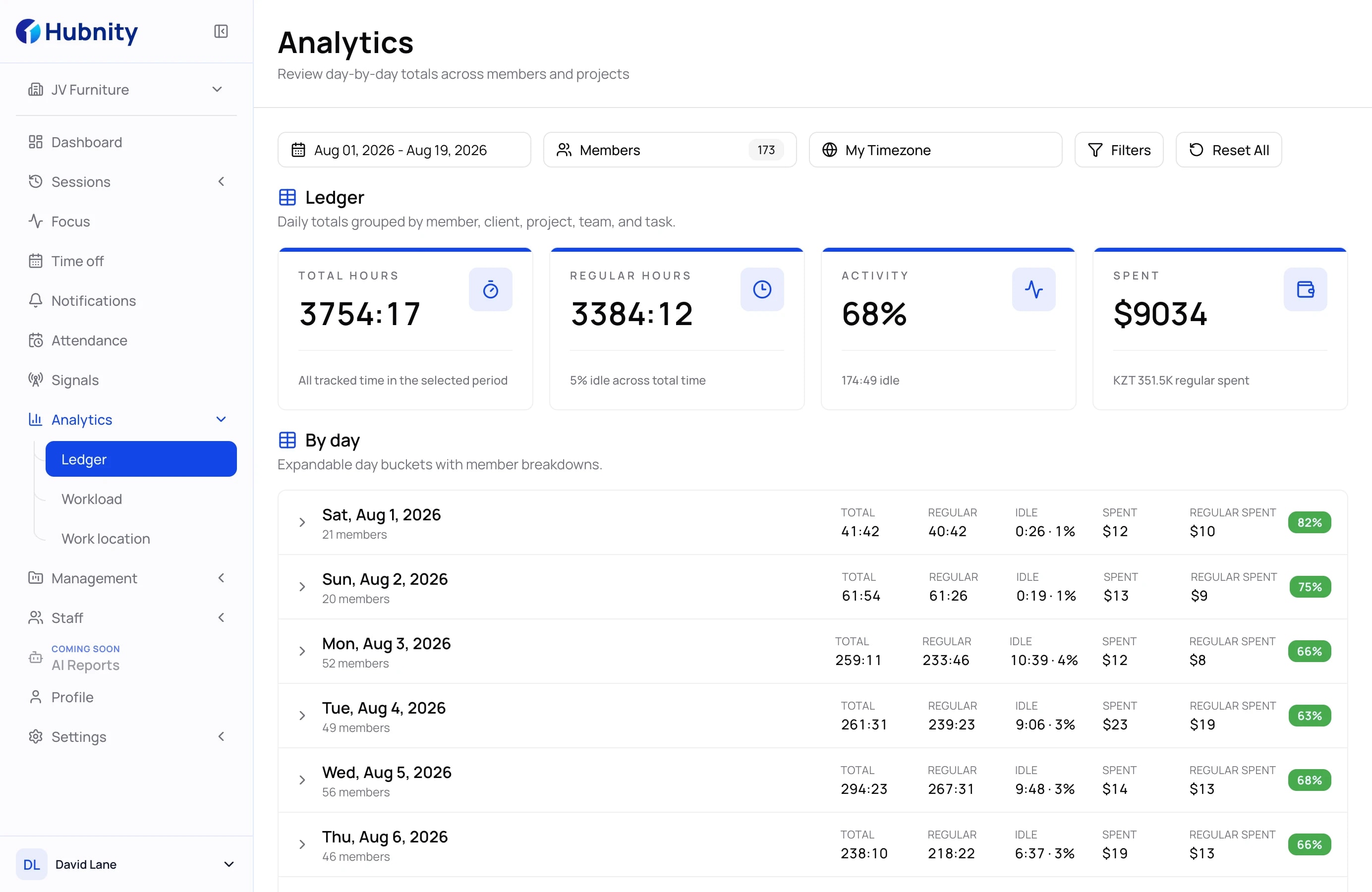
Compare the budget with recorded time, then filter reports by project, member, and date range.
Export reviewed time data for the next financial step.
Confirmed project controls
Keep budget settings, billable work, and reviewed time connected before the next financial conversation.
Budget context
Keep the project budget and hourly rate where managers already review project information.
Billable context
Use project and billable filters to keep internal effort and client-facing work easier to review.
Reporting context
Filter the relevant time data and export it for payroll, billing, or further analysis.
Find answers about project budgets, tracked hours, cost visibility, and reporting.
Project cost tracking software helps teams connect project budgets, hourly rates, billable work, time records, and reports in one reviewable workflow.
Hubnity keeps project budgets and rates alongside tracked time, budget-consumption calculations, and filtered reports for a clearer billing or finance handoff.
Yes. Teams can separate billable activity from internal work so reports are clearer for clients, managers, and finance.
Agencies, operations teams, service businesses, and managers who need clearer budget, billable-time, and project-reporting records.
It can reduce spreadsheet work by keeping time, project, and cost data together in one reporting workflow.