
Employee Idle Time Tracking Software
Detect workday gaps automatically, review what caused them, and keep accurate timesheets without interrupting your team.
Set the rule
Choose an idle threshold that fits your team.
Review the context
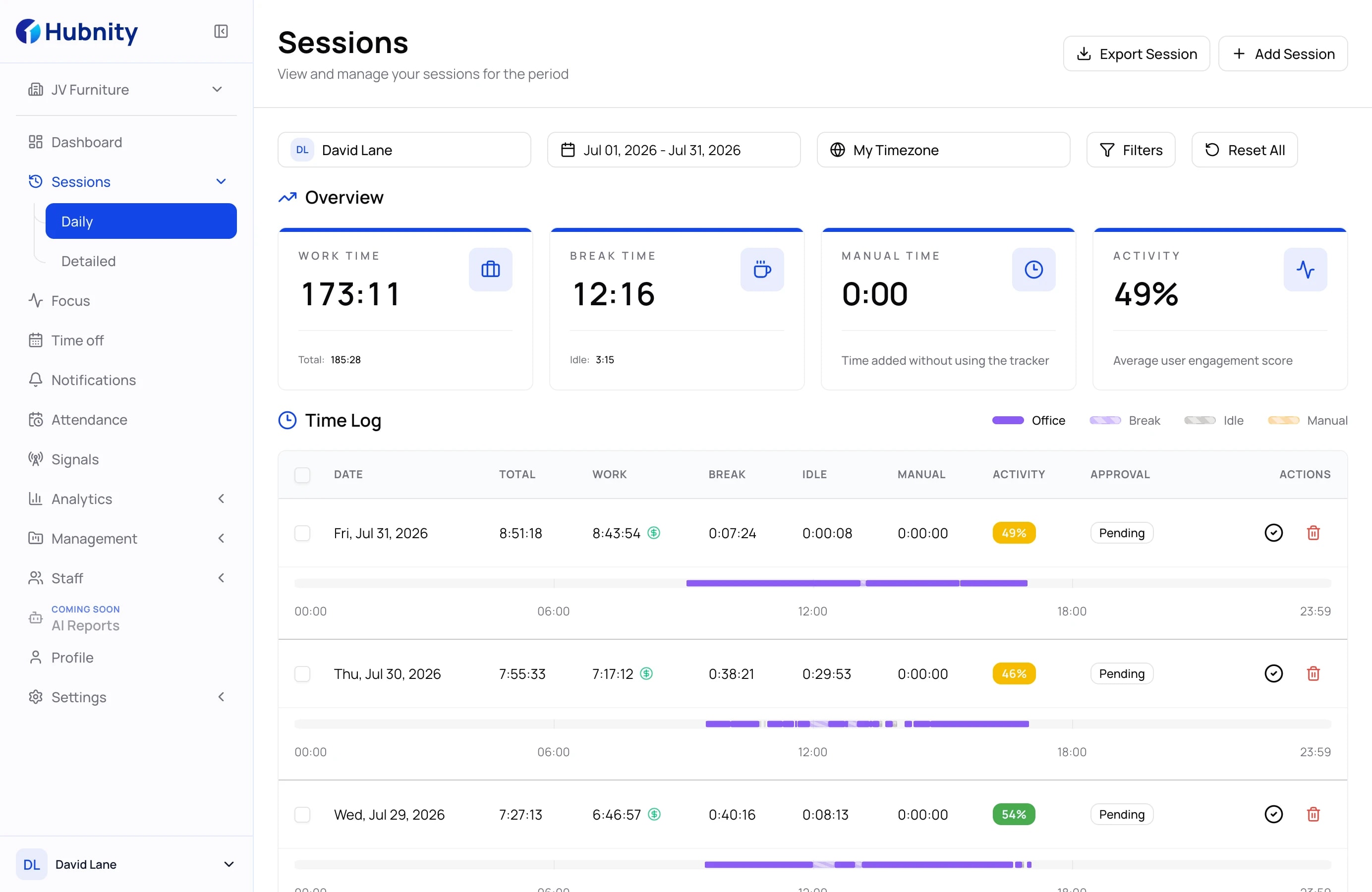
Keep workday gaps visible before a review.
Keep records clear
Separate inactive periods from worked time.
Powerful features to
optimize team performance
Hubnity provides all the tools you need to track, manage, and reduce idle time while respecting employee privacy.
Idle time notification
Respond to inactivity while it is relevant
Receive alerts when employees are inactive for a specified period, helping you maintain focus and productivity.
Simple setup
Start detecting idle time in minutes
Clear controls make the setup predictable for managers and transparent for employees.
Step 1
Download the app
Install the lightweight Hubnity tracker for your team's desktop workflow.
Step 2
Set idle rules
Choose the inactivity threshold that reflects how your organization works.
Step 3
Review clean time data
See detected gaps in context and keep reports accurate automatically.
Questions about idle tracking
Find answers to common questions about how Hubnity's idle time tracker works and how it can benefit your team.
Idle time is a period when there's no keyboard or mouse activity detected on the computer. Hubnity automatically detects these gaps and categorizes them separately from active work time.
Yes, you can easily set the inactivity threshold (e.g., 5 or 10 minutes) in your organization settings. The tracker will only trigger an idle alert after this period of no activity.
When the idle threshold is reached, the desktop app can display a gentle notification to the user. Managers can also receive reports or alerts about prolonged inactivity.
Absolutely. We only track activity/inactivity patterns, not specific keystrokes or sensitive personal data. Our goal is to provide visibility into productivity, not to spy on employees.
Yes, the tracker continues to monitor activity even if you lose internet connection. Once you're back online, all data is automatically synced to your Hubnity dashboard.