
Choose the period and people
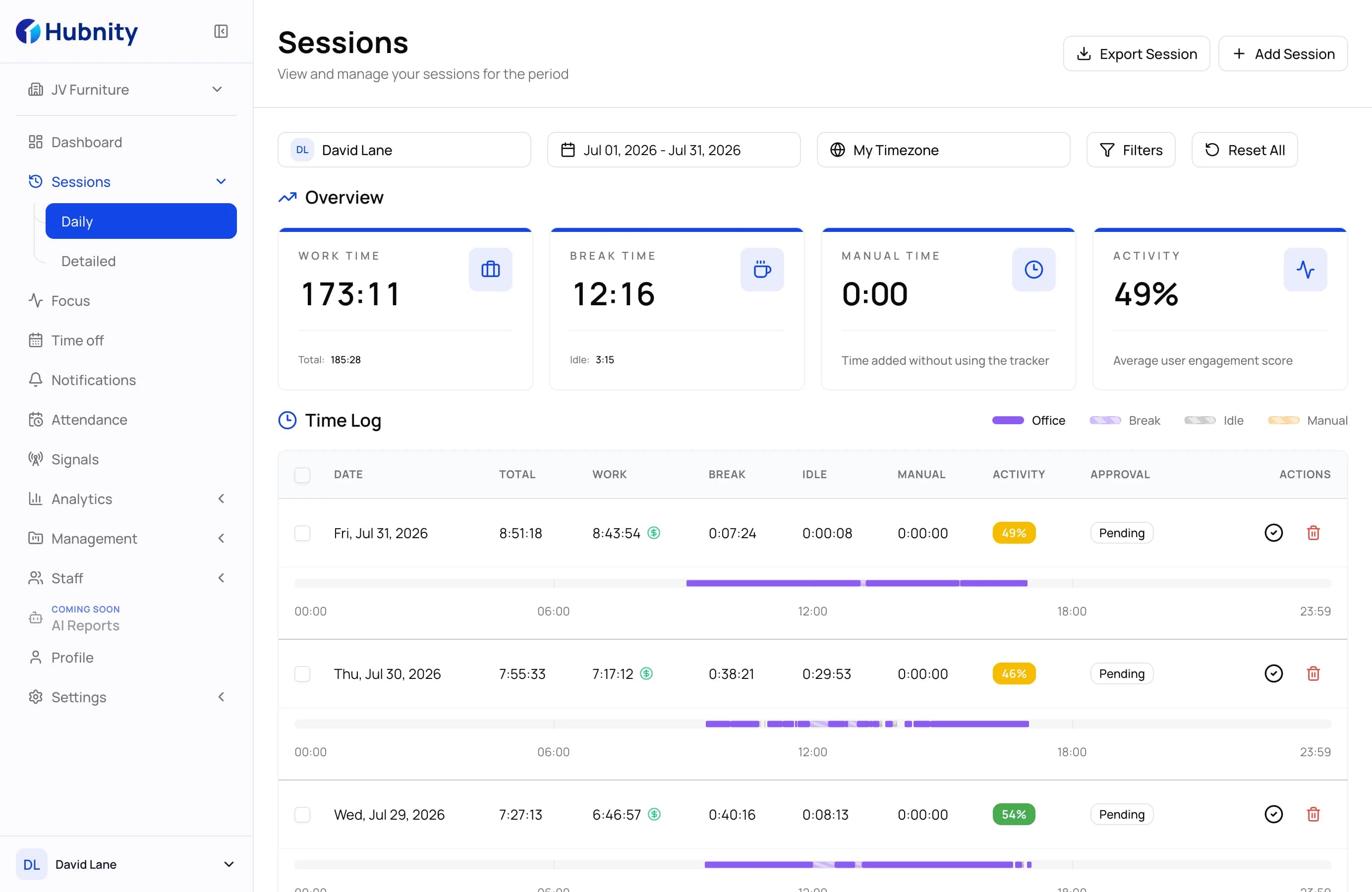
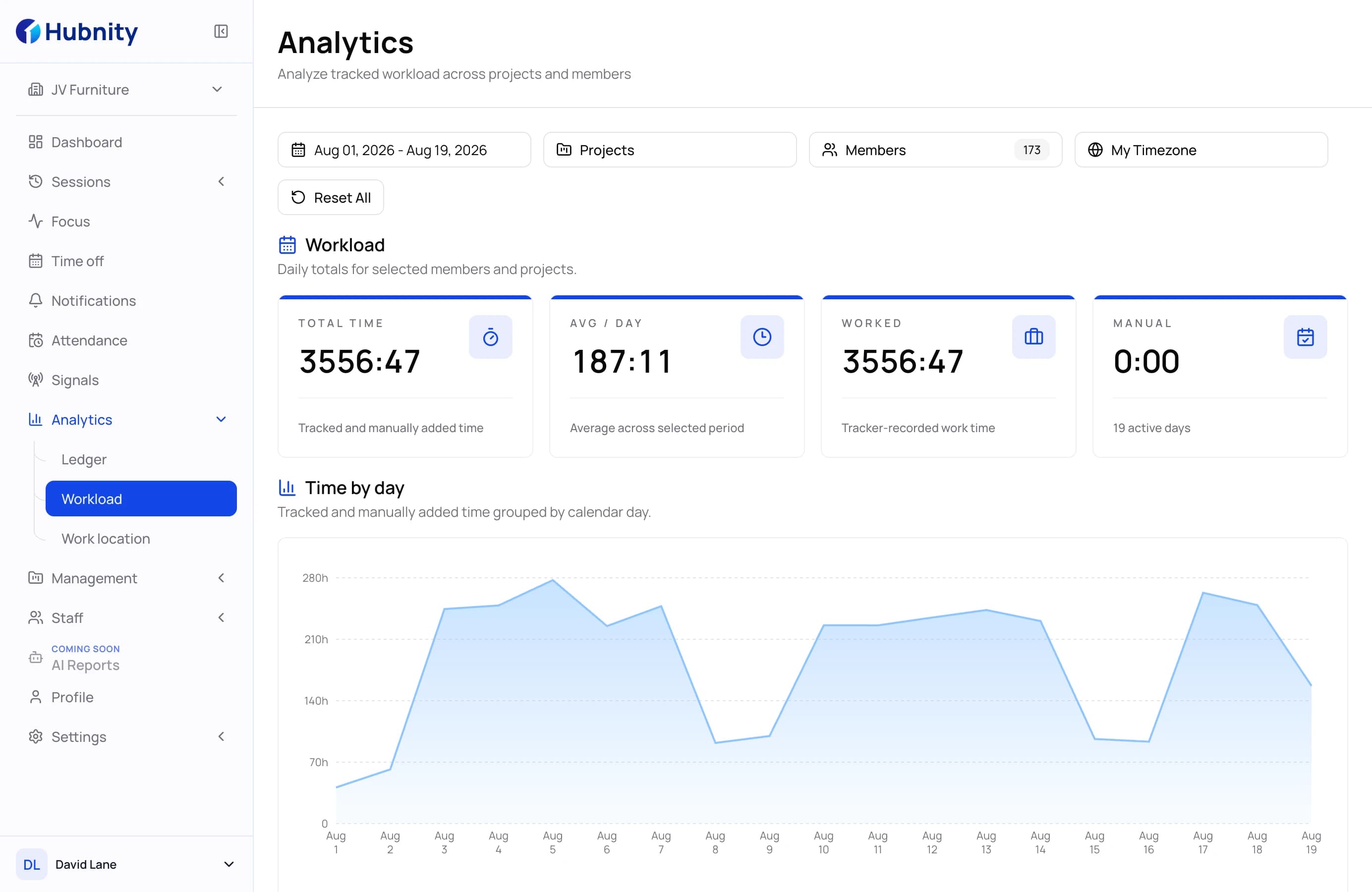
Filter the report by date range, project, and selected team members before reviewing the totals.
Review tracked time with project and activity context, then export a clear record for the next workflow.
PDF export
A ready-to-share report for review.
CSV export
A flexible file for payroll and analysis.
Reporting views
Build a dependable view of the workday without losing the context behind each record.
Compare worked, break, idle, and manual time in one clear record before it moves forward.
Connect tracked time to the relevant project, task, and team member when reviewing the workday.
Export the reviewed report as a PDF or CSV file for payroll handoff, analysis, or stakeholder review.
Use the reporting view to spot recurring work patterns and start a more informed review conversation.
Reporting workspace
Hubnity keeps the information needed for review close to the reported time, so managers can understand a result before they share it.
Filter the report by date range, project, and selected team members before reviewing the totals.
See worked, break, idle, manual time, and activity in the same reporting record.
Review the client, project, team, and task context connected to tracked work.
Expand daily entries to check the member-level breakdown and approval status before export.
Review to export
Move through a simple review flow that keeps the work record clear before it is shared or exported.
Time entries and activity data create the record for review.
Check worked, break, idle, and manual time for the selected period.
Keep the relevant member, project, and activity context visible.
Download the reviewed record as a PDF or CSV file for the next workflow.

Find answers to common questions about Hubnity's reporting and analytics capabilities.
Hubnity provides daily summaries and detailed timesheet reports built from tracked work. Use the available date, project, and member filters to prepare the view you need.
Yes. Timesheet reports can be exported as PDF for a ready-to-share document or CSV for payroll and further analysis.
Reports are generated from the tracked time available in your workspace and reflect the filters selected for the current report.
Yes. Filter the relevant timesheet records, review the totals, and export the result as PDF or CSV for the next step in your workflow.
Reporting data stays inside your Hubnity workspace and should be shared only with people who need it. Workspace roles help teams keep review and export responsibilities clear.