
BPO Time Tracking Software
Connect projects and teams to reviewable time entries, activity context, approvals, and PDF or CSV export.
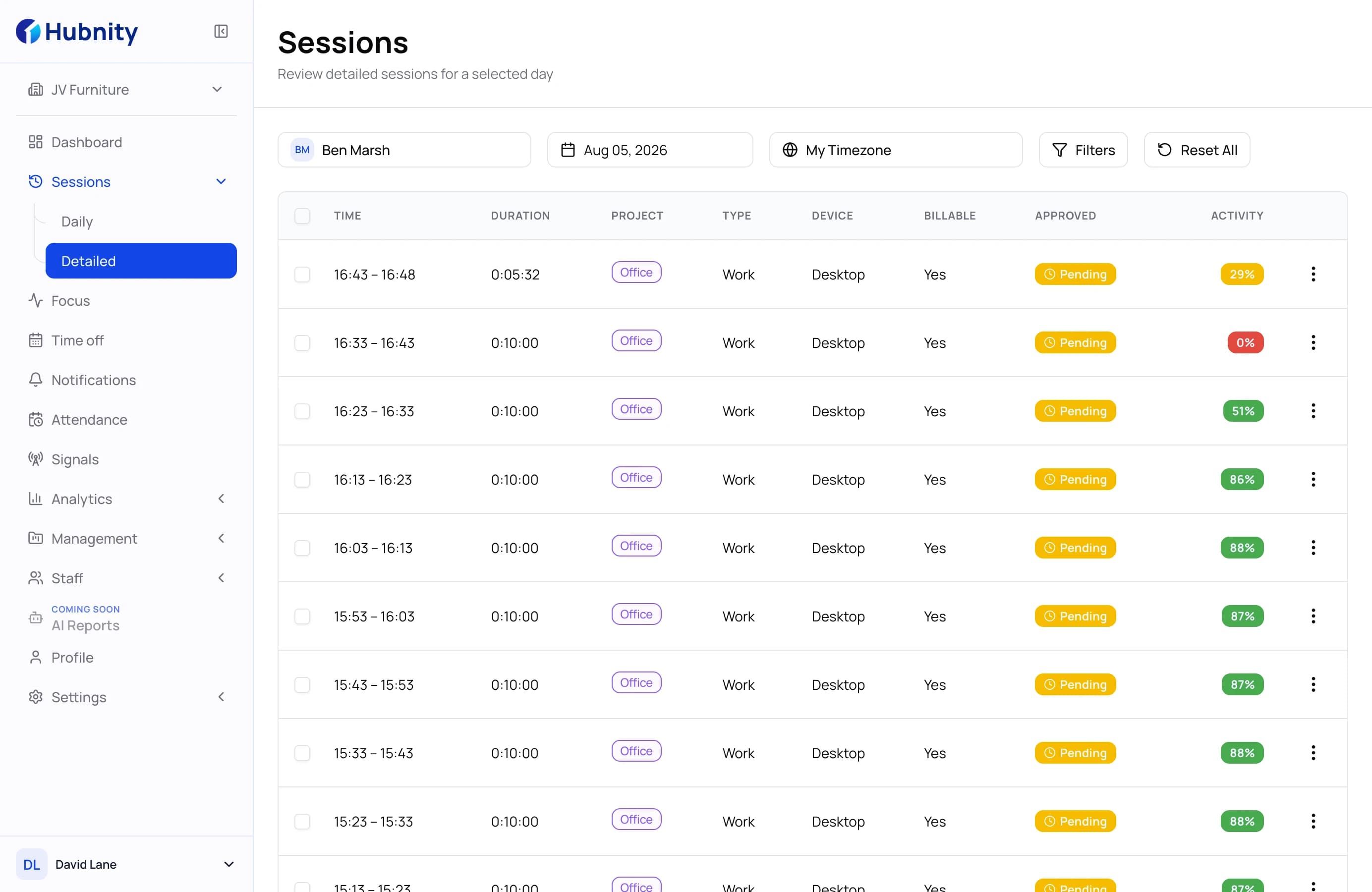
BPO operating flow
Follow delivery from client setup to export
Connect each client and project to the team doing the work, then review, approve, and export the resulting records.
BPO workflow
Client & Project
BPO workflow · 01 / 05
Organize delivery by client and project
Keep client work connected to the projects where time, budgets, rates, and team assignments are managed.
- Client and project structure
- Project budgets and rates
- Clear ownership of tracked work
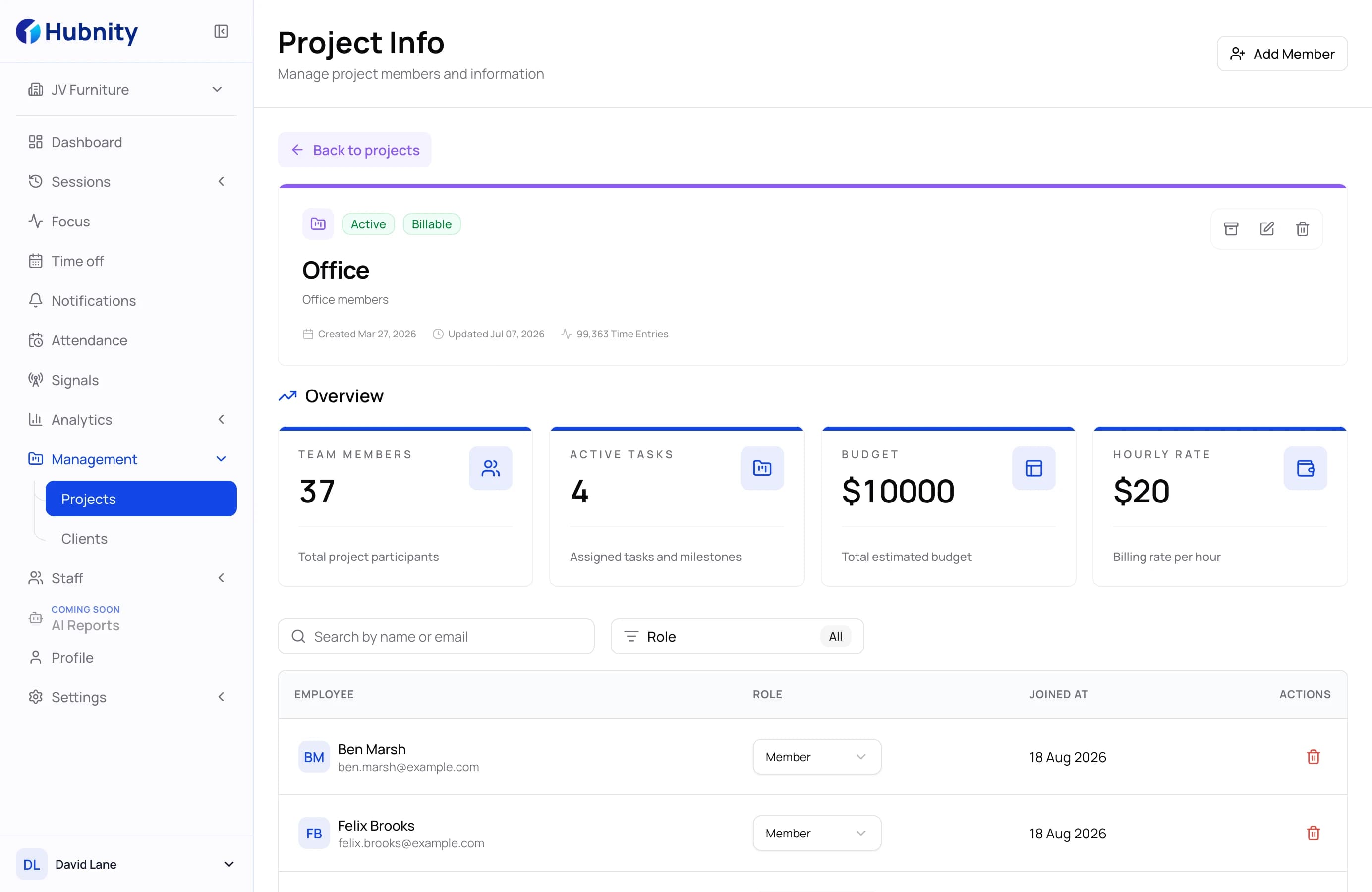
BPO workflow · 02 / 05
Capture time from the assigned delivery team
Assign members to projects and keep automatic or manual work records together in one organization workspace.
- Project member assignments
- Automatic and manual time records
- Team activity overview
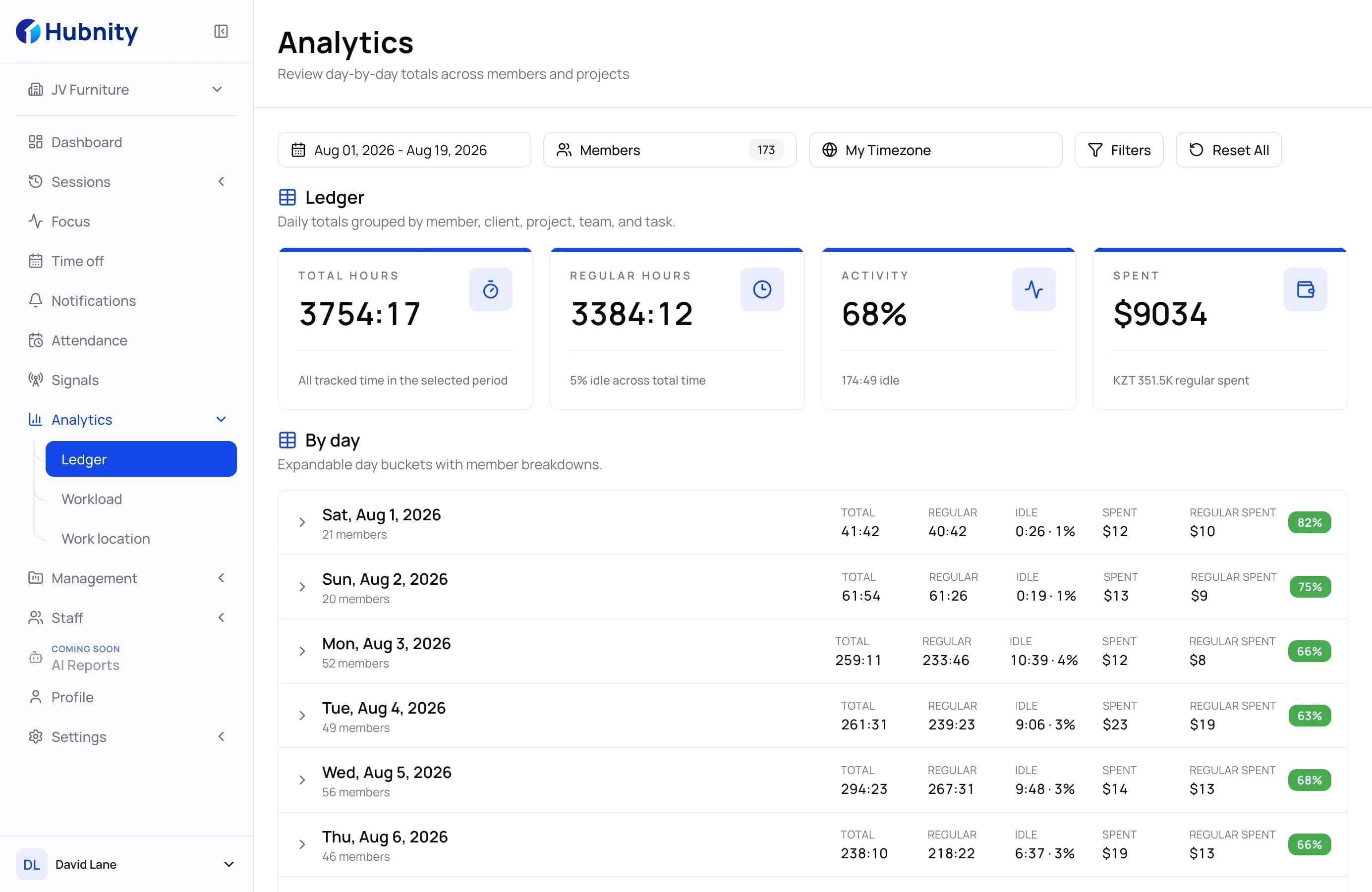
BPO workflow · 03 / 05
Review activity with explainable context
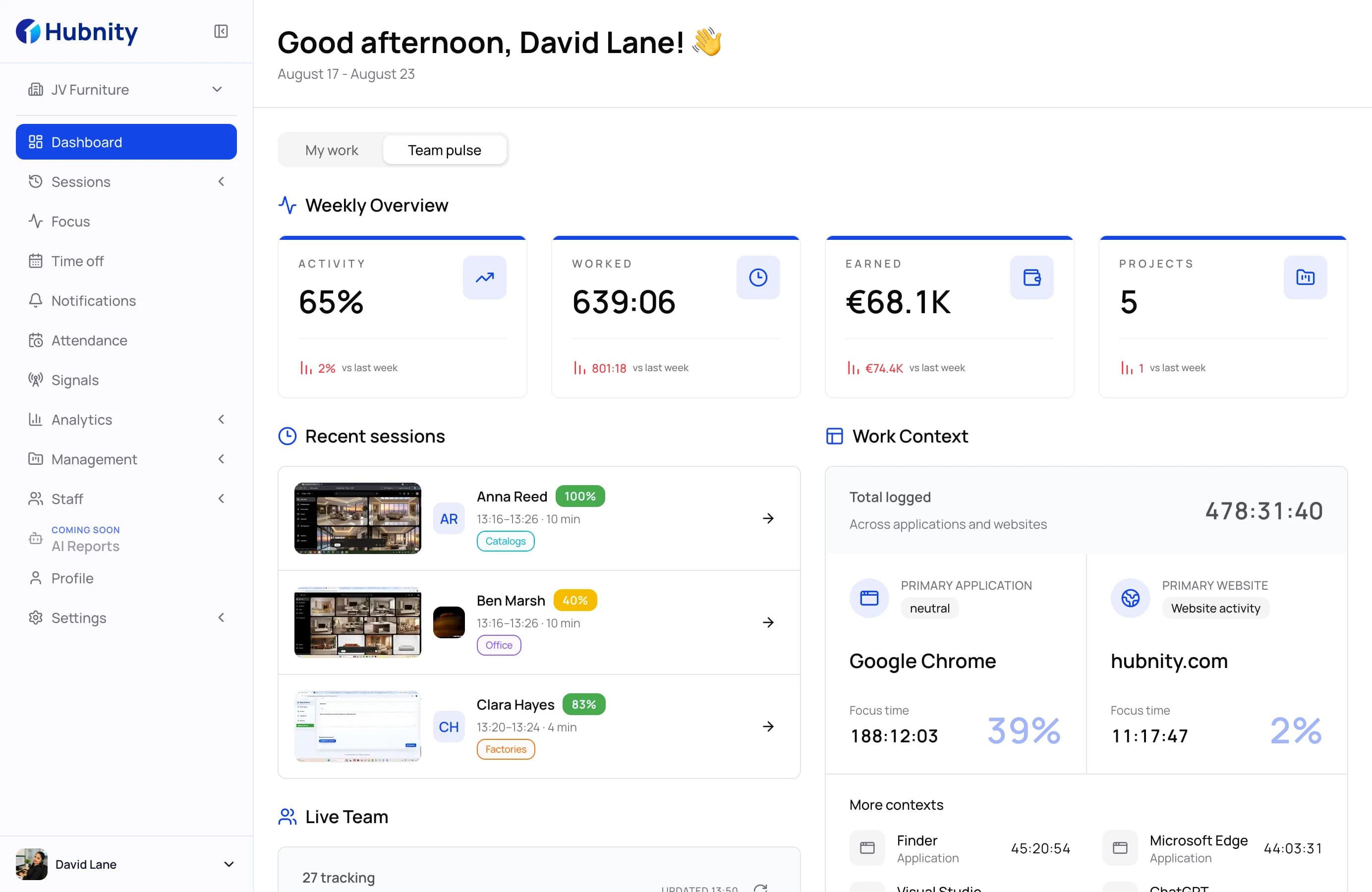
Use time, activity, apps and URLs, idle records, and optional screenshots to investigate work before approving it.
- Explainable activity signals
- Configurable tracking evidence
- Member and project context
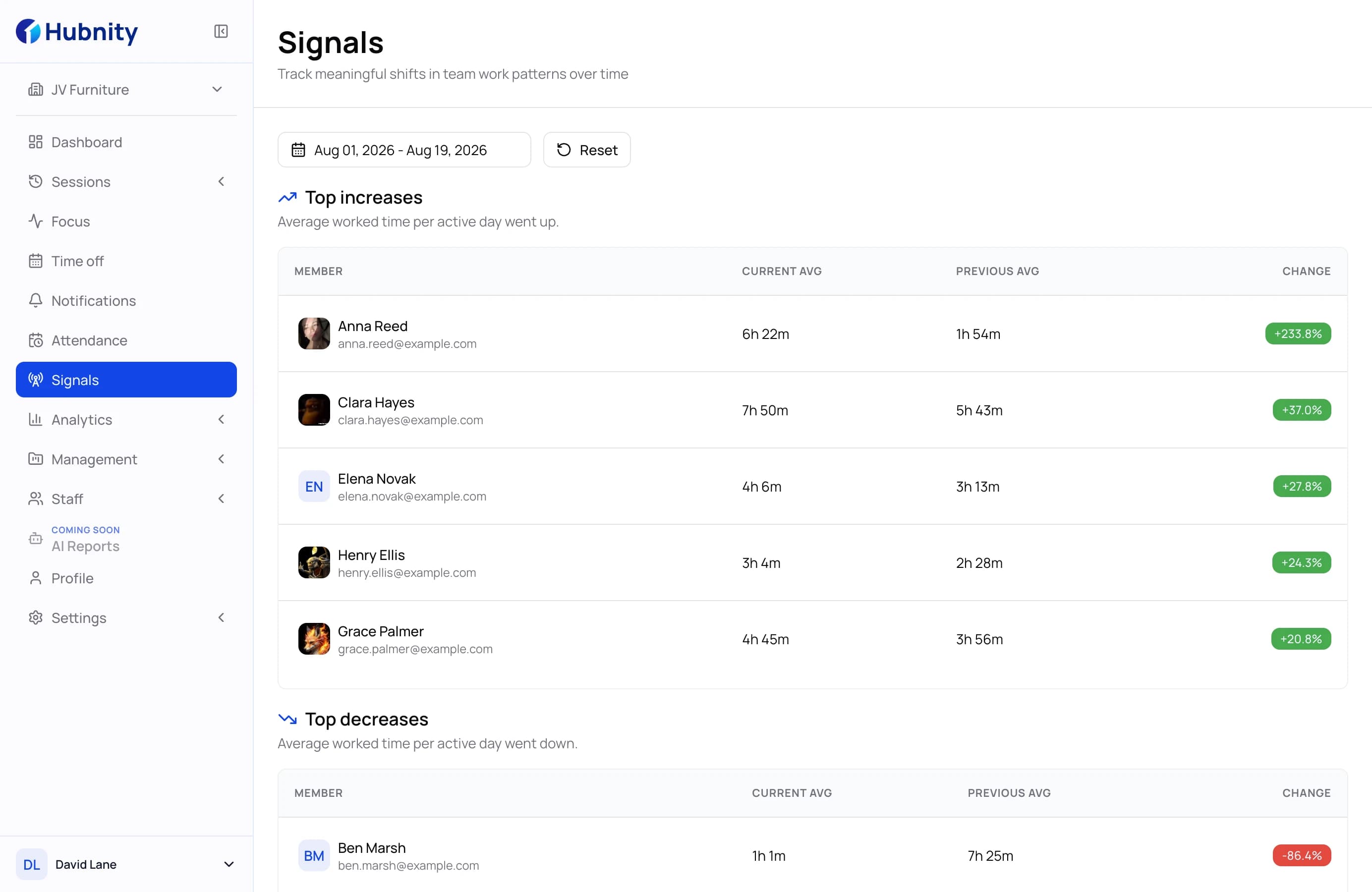
BPO workflow · 04 / 05
Approve records after manager review
Review time entries, resolve exceptions, and approve the period before records move into reporting or payroll handoff.
- Timesheets ready to review
- Approval history
- Clear period status
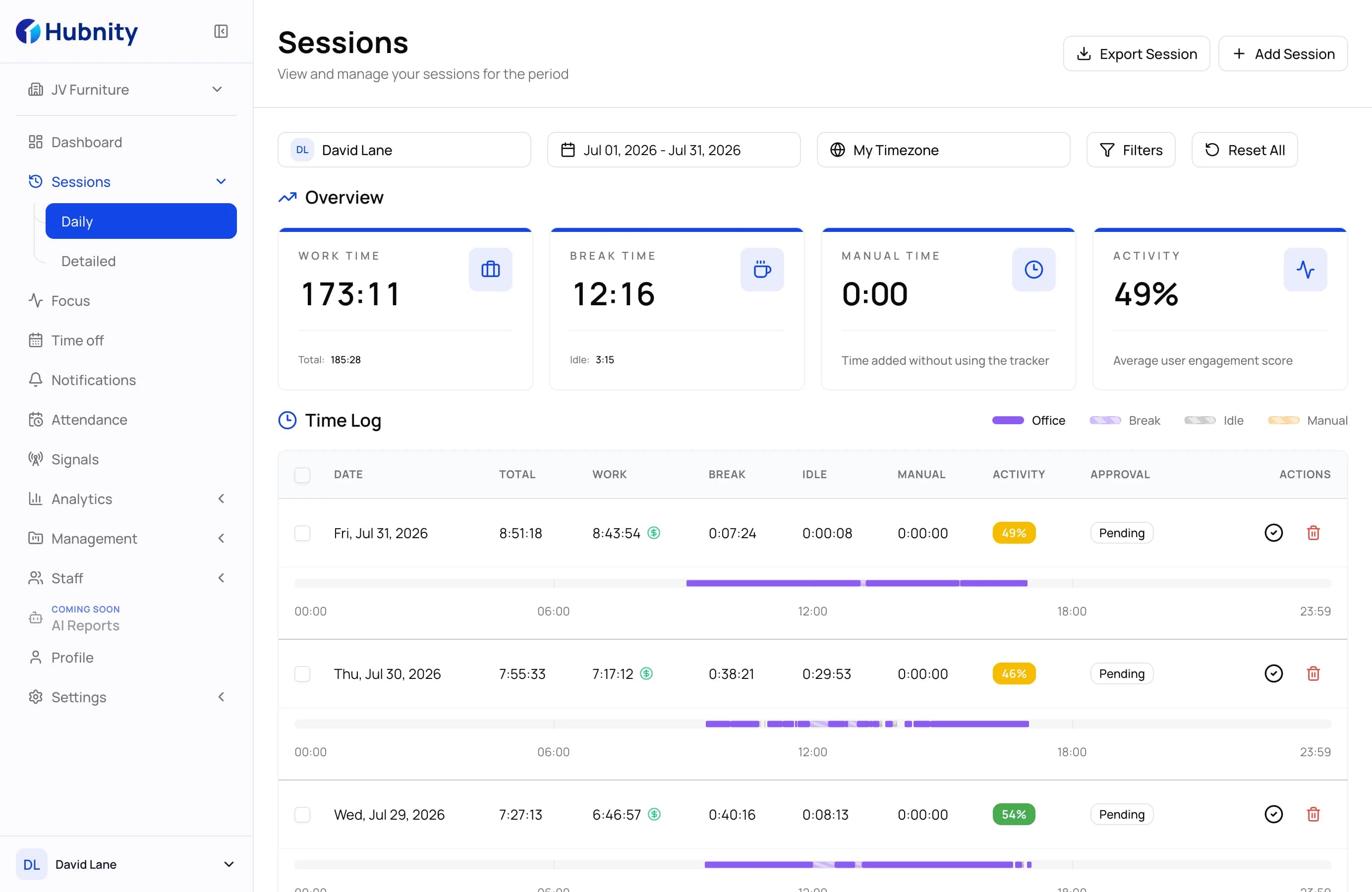
BPO workflow · 05 / 05
Export a clear record for the next workflow
Use daily and summary reports to check the selected period, then export the available records as PDF or CSV.
- Daily and summary reports
- PDF export
- CSV export
Built to scale
Keep client delivery structured as your team grows
Step 1
Create the client and project context
Organize tracked work under the right client and project so managers can review time, rates, budgets, and delivery records together.
Step 2
Assign the team and capture work records
Add project members and keep their automatic or manual time records connected to the work they are responsible for.
Step 3
Review the period and prepare the report
Check activity context and timesheet exceptions, approve the records, and export the selected period as PDF or CSV.

Platform capabilities
Everything BPO leaders need for reliable delivery
See how Hubnity connects activity records, reviewable timesheets, and exportable reports.
- 01
Reviewable Activity Context
Review time and activity signals with member and project context before making management decisions.
Explore workforce analytics - 02
Automated Timesheets & Approvals
Turn tracked hours into timesheets that managers can review and approve before payroll handoff.
Discover time automation - 03
Daily Reports & Export
Review the selected reporting period and export the available records as PDF or CSV.
View reporting capabilities
Everything you need to know about BPO time management
Clear answers about visibility, reporting, and time management for growing BPO teams.
Yes. Organizations can create clients and projects, assign members, and keep tracked work connected to the appropriate delivery context.
Yes. Team members can record work through supported Hubnity tracking options while managers review records centrally by member, project, and reporting period.
Managers can review time entries and the activity evidence enabled by their organization, including apps and URLs, idle records, and optional screenshots.
Hubnity prepares reviewable time records for payroll handoff. Managers can approve timesheets and export available reports, but the page does not claim built-in payroll processing.
Hubnity provides time, activity, project, and reporting records that teams can use alongside their service-management process. It does not claim a dedicated SLA enforcement module.
Hubnity supports PDF and CSV export for available report data, making approved records easier to move into payroll or operational review workflows.