

Organization Setup
Create your organization profile and configure tracking settings to perfectly fit your team's workflow.

Time tracking software for teams that need reliable hours, project context, attendance, activity tracking, and reports in one workspace.

One workspace, wherever work happens
Desktop dashboard and mobile time tracking, together.

Record billable hours through Hubnity's web, desktop, and mobile apps.

Use time tracking software for teams to connect work hours with projects, attendance, activity context, and reports.
Build a reliable activity timeline automatically, then review work context without reconstructing the day by hand.
Start, pause, and assign tracked time to the right project while the work is happening.
Turn approved records into clear timesheets for managers, payroll, and every team member.
Connect billable hours to clear records that support your existing billing workflow.
Pay contractors through PayPal today, and follow Slack, Jira, and more on the public integrations roadmap.
Review workload, attendance, and productivity signals before they become reporting problems.
See how Hubnity records work time, adds project context, and turns approved records into reports for managers and teams.
Create your organization profile and configure tracking settings to perfectly fit your team's workflow.
Log working hours and switch between projects with a single click. Keep your focus on the task, not the timer.

Review tracked hours, attendance, and activity context in reports that help managers understand how work is progressing.

Create your organization profile and configure tracking settings to perfectly fit your team's workflow.
Log working hours and switch between projects with a single click. Keep your focus on the task, not the timer.
Review tracked hours, attendance, and activity context in reports that help managers understand how work is progressing.
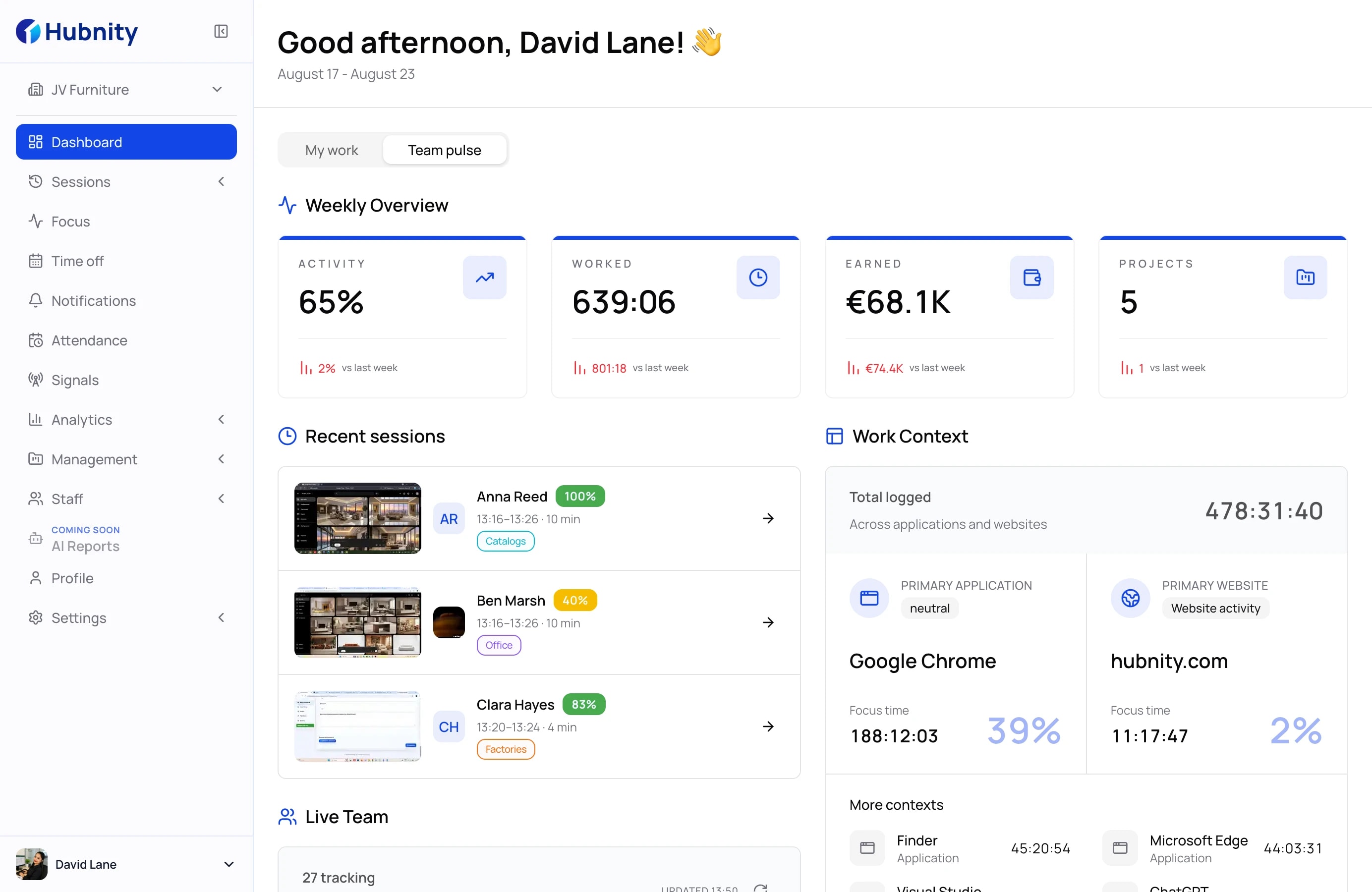
Our intuitive interface makes even the most complex time tracking effortless and transparent.
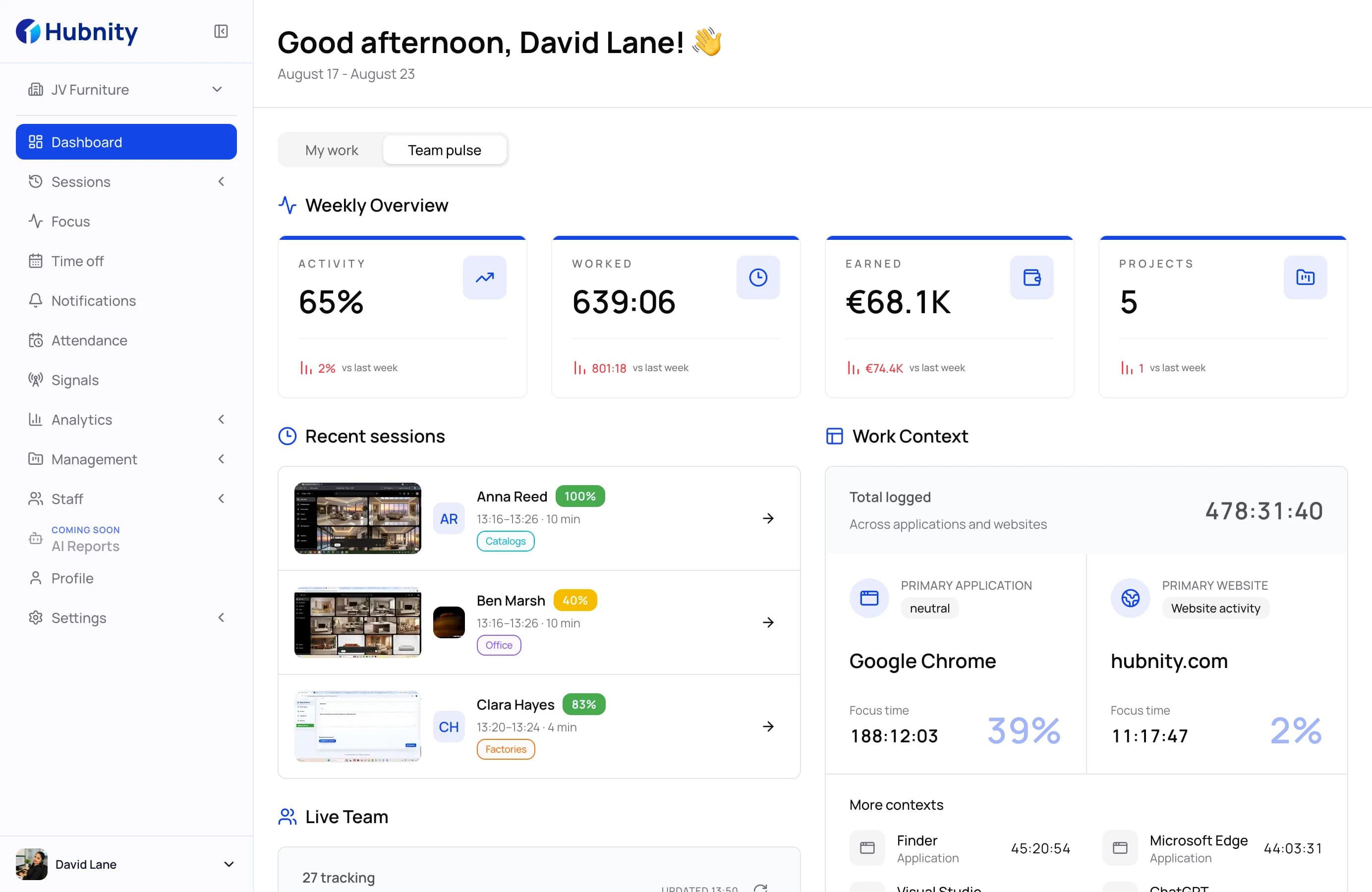
Navigate effortlessly through your workday. Our clean interface puts your most important metrics, from hours tracked to goal progress, right at your fingertips.
Use clear access controls and privacy settings to keep workforce records organized around the people who need them.
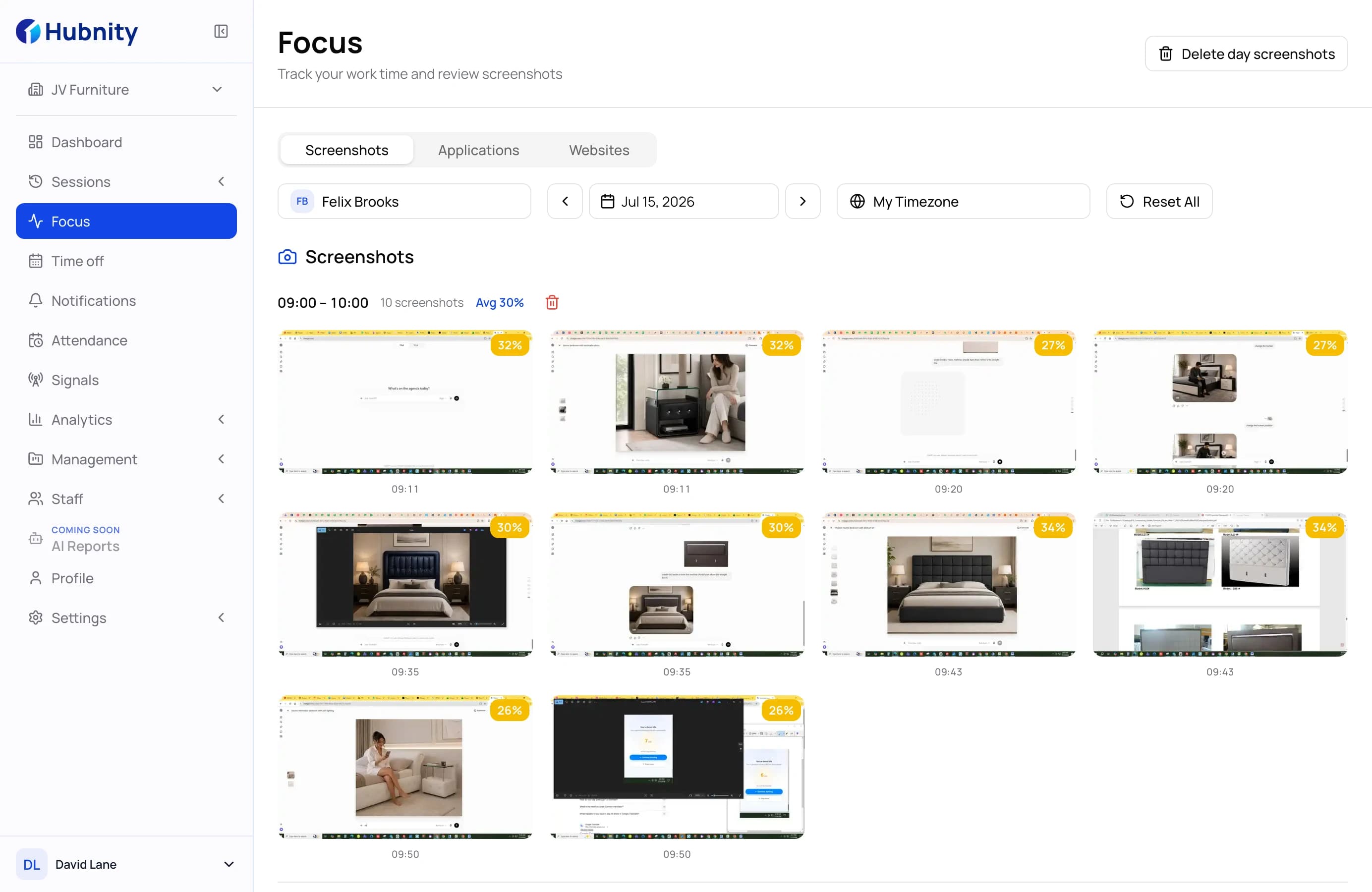
Get a clear view of your team's daily operations. Easily monitor activity logs, manage roles, and stay aligned with everyone's progress.

Empower your team with individual performance stats. Users can track their own tracked time, analyze productivity trends, and manage personal settings.
Find answers to common questions about setting up your workspace, tracking time, and managing your team.
Hubnity is a comprehensive time tracking and productivity platform designed for freelancers, agencies, and distributed teams to monitor work hours, track billable time, and generate seamless reports.
Our desktop app runs quietly in the background, logging the apps and websites you use. It reconstructs your daily timeline so you can easily assign time blocks to specific tasks later.
You can mark projects and tasks as billable, assign hourly rates, and review tracked time by client or project. Use those records in your existing accounting or billing workflow.
No problem! You can manually add, edit, or delete time entries after the fact. If you have auto-tracking enabled, you can also use your daily activity timeline to accurately fill in missing gaps.
Integrations for Slack, Microsoft Teams, Jira, Asana, Trello, Notion, and 13 more tools are on our published roadmap, and the integrations page shows the current status of each one. Today you can move tracked time into the tools you already use by exporting timesheets to CSV or PDF.
Yes! Hubnity is built with remote teams in mind. It provides managers with clear visibility into team workloads and attendance, helping prevent burnout while maintaining accountability across different time zones.
Yes. Hubnity supports time tracking on mobile alongside the web dashboard and desktop app.
Review Hubnity's Privacy Policy and Data Processing Agreement to assess whether the product meets your organization's security and privacy requirements.
Hubnity automatically aggregates your tracked time into visual dashboards and timesheets. You can filter data by user, project, or date range, and export reports to CSV or PDF for payroll processing.
Plan availability and signup terms can change. Review the current pricing options or contact sales before choosing a rollout path.